
Timeline Up
Rollic GamesRacing
3.94.01K Reviews
- Version
- 17.10.0
- Installs
- 10.00M
- Age Rating
- Everyone
Screenshots
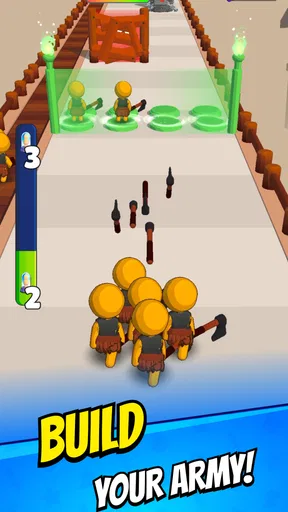
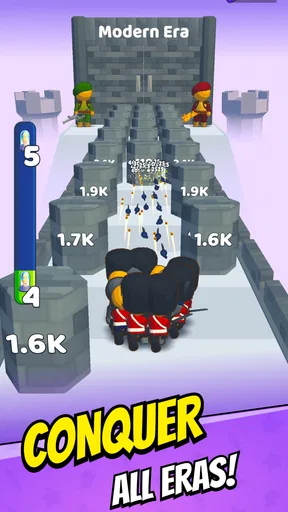
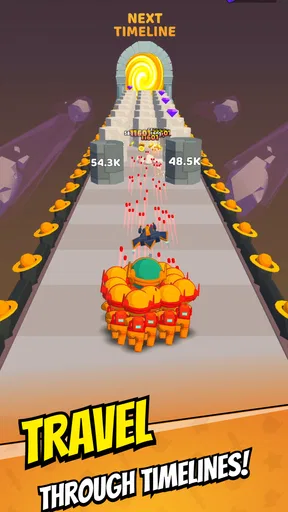
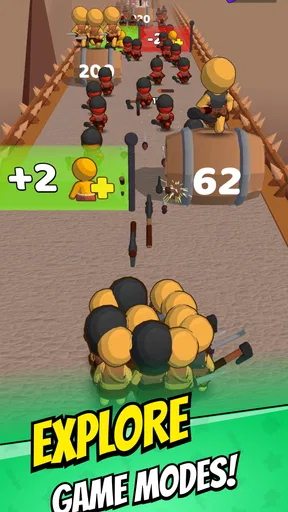
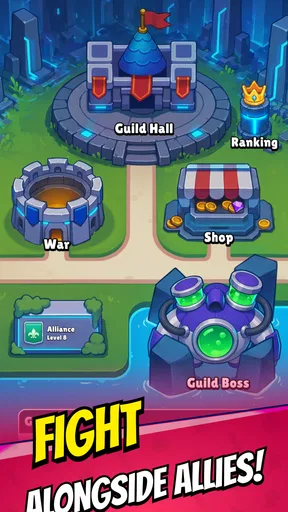
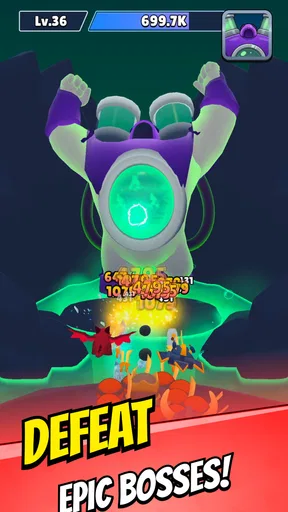
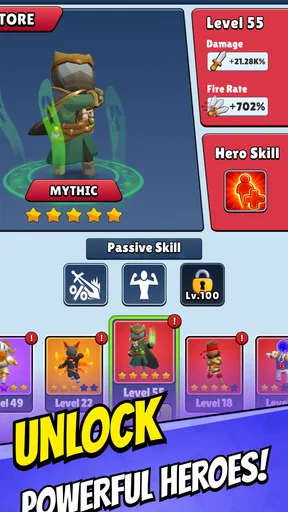
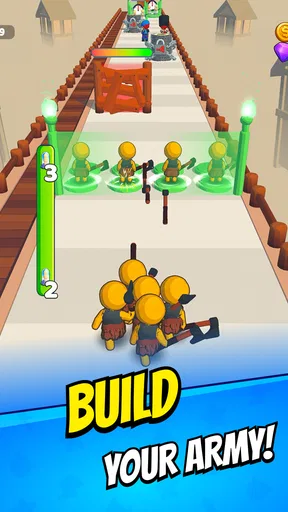
Our Review of Timeline Up
 Analysis by Appyee
I approach Timeline Up as a racing game, not as a planner or calendar. That distinction matters: the name and the phrase “Timeline Up” might suggest organizing dates, but the game’s appeal is about moving through changing timelines. I find that framing more useful than expecting a conventional driving simulator, with detailed car tuning or long, realistic races. It is a free game from Rollic Games, rated for Everyone, and its straightforward premise makes it easy to consider when I want a quick racing-themed distraction rather than a demanding hobby.
What to expect from its pace
The key question for a casual racing game is whether it feels approachable in short sessions. Timeline Up’s simple concept points toward a low-friction experience: I can pick it up without needing to study a complicated racing setup or learn a deep set of rules first. That makes it a more natural fit for a spare moment than a simulation that expects careful control, tuning, and sustained attention. I would still separate “easy to start” from “always fast”: the available description does not establish specific loading times or frame rates, so I would judge those on the device I actually use.
That distinction is useful if I’m choosing a game for a commute break or a short wait. A quick-start style of racing can feel satisfying when I have only a few minutes, but it is less likely to replace a game built around long races and deliberate mastery. I’d approach each session expecting compact entertainment, not a full driving campaign. If a run ends sooner than I hoped, that is a reason to pause rather than assume the game is meant to hold my attention for an hour.
How it handles busier moments
Racing games can become more demanding when the screen is crowded with motion, visual effects, or several things to react to at once. With Timeline Up, I would pay attention to whether the timeline changes remain readable while I’m focused on the race. A visual idea can be charming in a quiet moment yet harder to follow when the action speeds up; if that happens, taking a beat to understand what the game is asking is better than tapping quickly without a plan. This is a practical way to tell whether the game’s pace suits me, rather than assuming every racing game rewards constant input.
I also wouldn’t judge the whole experience by one hectic run. A brief session after a busy day may feel different from playing when I can concentrate, especially in a game whose central hook involves progressing through timelines. If I find that I’m reacting rather than understanding, I’d stop after a run and return when I have a clearer head. That small choice helps distinguish a game that is simply asking for attention from one that genuinely feels frustrating on my device.
Reliability and sensible expectations
Timeline Up is on version 12.4.0, and it has attracted more than five million installs, with an average rating of 4.0 from around 63,000 ratings. Those figures suggest that plenty of people have tried it, but they do not promise identical performance on every phone. I’d treat them as context, then pay attention to how it behaves on my own device: whether it opens consistently, whether a session remains smooth, and whether progress survives an ordinary interruption such as switching apps. Those are the details that matter most when a game is meant to fill small gaps in the day.
For a low-stakes game, recovery matters as much as raw speed. If I get a call or need to put my phone away, I want to know whether I can return without the interruption turning into a bigger annoyance. I would test that naturally during an early session instead of relying on assumptions about how the game saves or resumes. I would also avoid starting a run when I know I have to leave immediately; that is a sensible habit for any short-form racer, especially until I know how this one handles being sent to the background.
Device fit and spending choices
The minimum operating-system requirement is Android 7.0, which gives the game a broad potential device range, but a compatible system version alone does not guarantee an equally comfortable experience on every phone. On an older or entry-level device, I would close other demanding apps before playing and notice whether the controls and motion remain responsive. If the game feels choppy, drains the battery more quickly than I’m comfortable with, or makes the phone warm during a session, I’d keep play brief or choose a lighter alternative. Those are practical checks, not claims about a specific resource demand.
The game is free to download and includes optional in-app purchases priced from $0.99 to $99.99 per item. I would decide early whether I’m comfortable with that model, and I would not treat a purchase as necessary just to find out whether the basic game suits me. If I’m setting up a phone for a child, the Everyone content rating is reassuring about its age classification, but I’d still review purchase settings together. That is particularly worthwhile when a free game is being used on a device where a child can make purchases.
First Impressions
From the moment I downloaded Timeline Up, I was greeted with a clean and intuitive interface. You know that feeling when you walk into a perfectly organized room? That’s exactly how I felt. The app doesn’t bombard you with complex menus or confusing options. Everything is laid out in a way that feels just right.
Features That Stand Out
So, what makes Timeline Up special? For starters, the timeline feature is an absolute game-changer. It’s like scrolling through your social media feed, but instead, you’re scrolling through your life events. Birthdays, anniversaries, and even those important work deadlines are all visually laid out. It’s a one-stop-shop for all your personal and professional milestones.
Another feature I loved is the integration with calendars. Let’s face it, we all juggle multiple calendars these days, and having them in one place is a lifesaver. With Timeline Up, you can sync across devices effortlessly. Say goodbye to double-booking yourself!
User Experience
Using Timeline Up feels like having a conversation with a friend who just gets you. The app offers helpful prompts and suggestions, so even if you’re not the most organized person by nature, it gently guides you to stay on top of things. And if you’re someone who loves a bit of customization, you can tweak the appearance to suit your taste, making it truly yours.
Room for Improvement?
No app is perfect, right? While Timeline Up ticks a lot of boxes, I did notice that it could benefit from a few more notification options. Sometimes, a gentle nudge is all you need to remember that appointment you’ve been dreading. I’m sure future updates will address this, but for now, a little manual checking might be needed.
Final Thoughts
Overall, Timeline Up is a gem for anyone looking to streamline their life’s events in a visually appealing way. Its ease of use, combined with robust features, makes it a must-have app. Whether you’re a busy professional or just someone who values organization, Timeline Up has got something for you. Give it a try, and you might find yourself wondering how you ever managed without it. Life’s a journey, and with this app, it’s a well-organized one!
Where it fits among racing games
Compared with a traditional racing game, Timeline Up is best approached as a quick, accessible alternative rather than a substitute for realistic driving or extensive vehicle progression. If what I want is a careful lap, a sense of handling, and room to improve through repeated practice, a simulator or a more conventional racer is likely a better match. If I simply want something racing-themed that I can try without committing to a long session, this game’s timeline premise is the more relevant draw. The useful distinction is not that one style is universally better; it is whether I want depth and precision or a lighter change of pace.
It is also not the right choice if I mainly enjoy collecting detailed car specifications, learning complex tracks, or competing through lengthy events. I would choose a different racing title for those goals. Timeline Up makes more sense for someone who is curious about its unusual time-based framing and is willing to judge it on that idea, rather than expecting the familiar structure of a motorsport game. That expectation-setting can prevent a mismatch before I even start playing.
A practical way to try it
For a first session, I’d play when I have enough time to finish a run without rushing, then notice how clearly I understand the timeline progression. On a later short break, I’d see whether the same flow still feels enjoyable when I only have a few minutes. This simple two-session test answers a more useful question than “Is it good?”: does it work for the way I actually use my phone? If the controls or visual cues feel unclear, I’d give myself a moment to observe before making quick moves, rather than repeatedly restarting in frustration.
A realistic use case is waiting for a friend who is running late. I can open the game for a brief distraction, play only while I’m still free to leave, and put the phone away as soon as they arrive. I would avoid beginning if I’m in the middle of a tight transfer or need to stay alert to directions; even a casual game can be a poor fit when my attention must remain elsewhere. That is one advantage of treating it as optional downtime rather than something I need to keep progressing through every day.
Another helpful trade-off is deciding whether I want to play with sound or keep the phone quiet. In a shared space, I’d begin with the device muted or at a low volume and check that the game remains understandable without relying on audio. I’m not assuming that sound is required or that a particular setting exists; it is simply a considerate way to try any mobile game in a library, waiting room, or beside someone who is working. If visual feedback alone does not make the action clear to me, I can save the next session for a place where sound is appropriate.
Who is likely to enjoy it
I’d recommend giving it a try to casual players who like quick mobile games, are open to a racing concept that is not presented as a realistic driving challenge, and want to decide for themselves whether its timeline hook clicks. It may also suit someone who tends to abandon games with lengthy tutorials or complicated setup, provided the actual play feels as approachable as its premise suggests. With a free download, the sensible approach is to try it without spending, then decide whether the core loop is enjoyable enough to keep around.
I’d skip it if I’m looking for a deep racing simulation, extended competitive sessions, or a game whose smooth performance has to be guaranteed on an older phone. I’d also be cautious if I dislike optional purchase prompts or prefer games with no spending choices at all. The purchase range runs from $0.99 to $99.99 per item, so I would keep that in mind before handing the phone to a child or anyone who might tap through a purchase screen. The Everyone rating describes the content classification; it does not replace sensible purchase controls.
What I would check before settling in
Three small checks can make the first experience more informative. First, I’d confirm that the game’s pace feels comfortable rather than assuming that faster play is automatically better. Second, I’d switch away once during a low-stakes moment and see whether returning feels straightforward, without risking a session I care about. Third, I’d pay attention to battery use and responsiveness over a normal short play period on my own phone. These checks do not require special tools, and they give me a practical sense of whether the game fits my routine and device.
For anyone wondering whether it is suitable for a quick daily visit, my answer is that it is worth testing in exactly that way: a short, relaxed session is a better measure than a marathon. If I want more substantial progression or a precise skill challenge, I would look elsewhere instead of expecting this game to become a different kind of racer. And if I’m unsure about spending, I can leave purchases alone while deciding whether the free experience is enough for me. Those choices keep the trial low-pressure.
Final performance verdict
With a 4.0 average from around 63,000 ratings and more than five million installs, Timeline Up has clearly reached a broad audience, but popularity alone cannot tell me whether it will feel stable on my handset. Its Android minimum is 7.0, and the current version is 12.4.0, so I would check compatibility before installing and still assess responsiveness in practice. Rollic Games is the developer, and the game is free to start, with optional purchases. Taken together, that makes it easy to sample, while leaving the important questions of comfort, interruptions, and device behavior to a short personal test.
My verdict is that Timeline Up is most appealing when I treat it as an approachable, occasional racing game built around its own timeline idea. It is not the pick I’d make for a serious simulation fan, someone who needs proven performance on a particular older device, or a player who wants no in-app spending options. For a casual player with a compatible phone and modest expectations, trying a few short sessions is a reasonable way to see whether the concept lands. If it does, it can earn a place in spare moments; if it doesn’t, a more traditional racer will be a better use of time.
Privacy and Permissions
See what permissions an app requests and how it handles your data.
- Wi-Fi connection information
- view Wi-Fi connections
- Other
- view network connections, full network access, control vibration, prevent device from sleeping, Google Play license check
Verdict
Strengths of Timeline Up
- Intuitive user interface for easy navigation.
- Seamless integration with calendar apps.
- Customizable reminders for tasks and events.
- Syncs across multiple devices effortlessly.
- Offline mode available for uninterrupted access.
Limitations of Timeline Up
- Limited free version features.
- No dark mode option available.
- Occasional sync delays with other apps.
- Requires frequent updates for bug fixes.
- Ads present in the free version.
Other Releases by Rollic Games
View All


Similar Picks in This Category
View All
Hill Climb Racing
Fingersoft4.3

Dr. Driving
SUD Inc.4.2

Traffic Rider
skgames4.5

Asphalt 8 - Car Racing Game
Gameloft SE4.6

Race Master 3D: Car Racing
Beresnev Games4.6

Extreme Car Driving Simulator
AxesInMotion Racing4.3
Frequently Asked Questions
What is Timeline Up and what does it do?
Timeline Up is an innovative app designed to help users organize and visualize their schedules and projects in a timeline format. It allows users to input tasks, set deadlines, and track progress, providing a clear overview of both personal and professional commitments. It's ideal for project management, event planning, and daily scheduling.
Is Timeline Up available for both Android and iOS?
Yes, Timeline Up is available for download on both Android and iOS platforms. Users can find it on the Google Play Store and the Apple App Store. It offers a seamless experience across devices, ensuring that your timeline data is synced and accessible wherever you go.
Does Timeline Up offer any collaboration features?
Timeline Up includes robust collaboration features, allowing users to share timelines with team members or friends. You can collaborate in real-time, assign tasks, and set permissions to ensure everyone has the right level of access. This makes it a great tool for team projects or family event planning.
Are there any costs associated with using Timeline Up?
Timeline Up offers a free version with basic features. For more advanced functionalities, such as premium templates and extended collaboration tools, there is a subscription model available. Users can choose from monthly or annual plans, which come with a free trial period to explore all features.
How user-friendly is Timeline Up for beginners?
Timeline Up is designed with a user-friendly interface, making it easy for beginners to navigate. The app includes a comprehensive tutorial and help section to guide new users through its features. Its intuitive design ensures that even those with minimal tech experience can effectively use the app to manage their schedules.
Play our best games!


